
Starfolio allows you to connect multiple brokerage accounts for added flexibility. You can link up to five broker accounts and use any of them to invest in baskets. You can also have different baskets connected to different brokers.
However, please note:
- Each invested basket is linked to only one broker account.
- Once a basket is purchased through a specific broker, it cannot be changed later.
- Any additional investments in the same basket must be made using the same broker.
- You can choose a different broker for new baskets.
To connect a new broker to your Starfolio account:
1. Log out of your Starfolio account.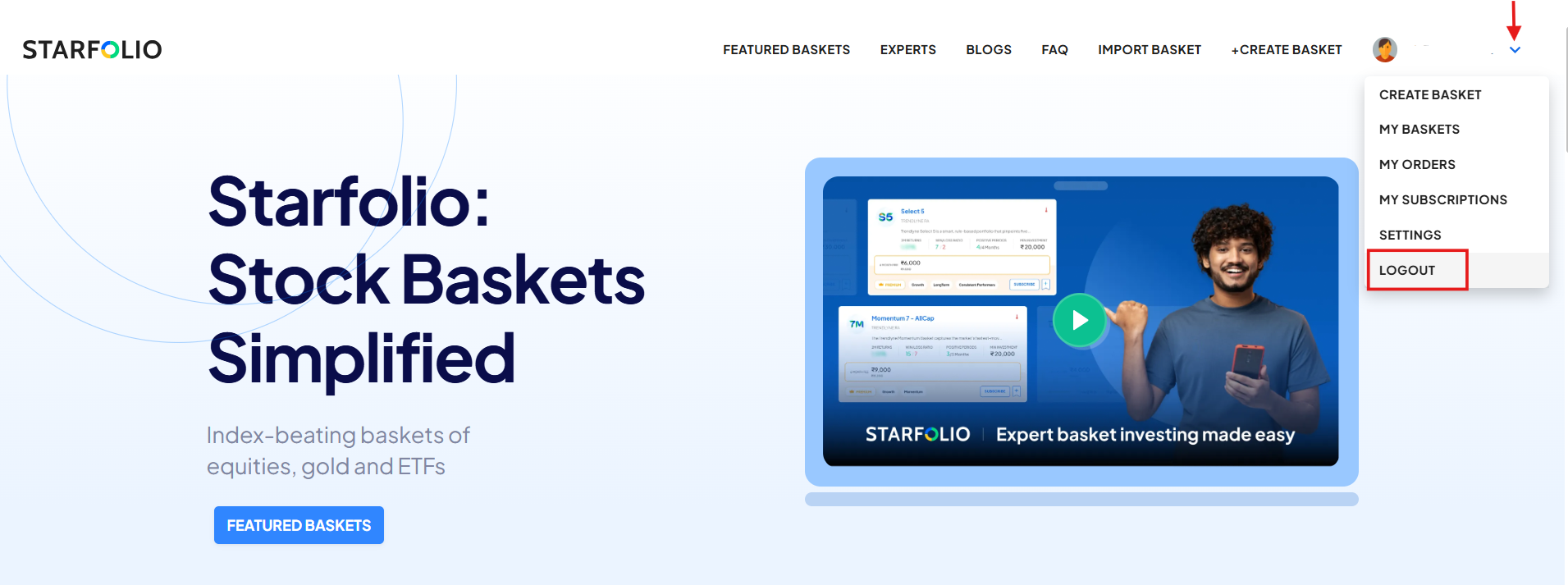
2. Log back in and select the broker you want to link.
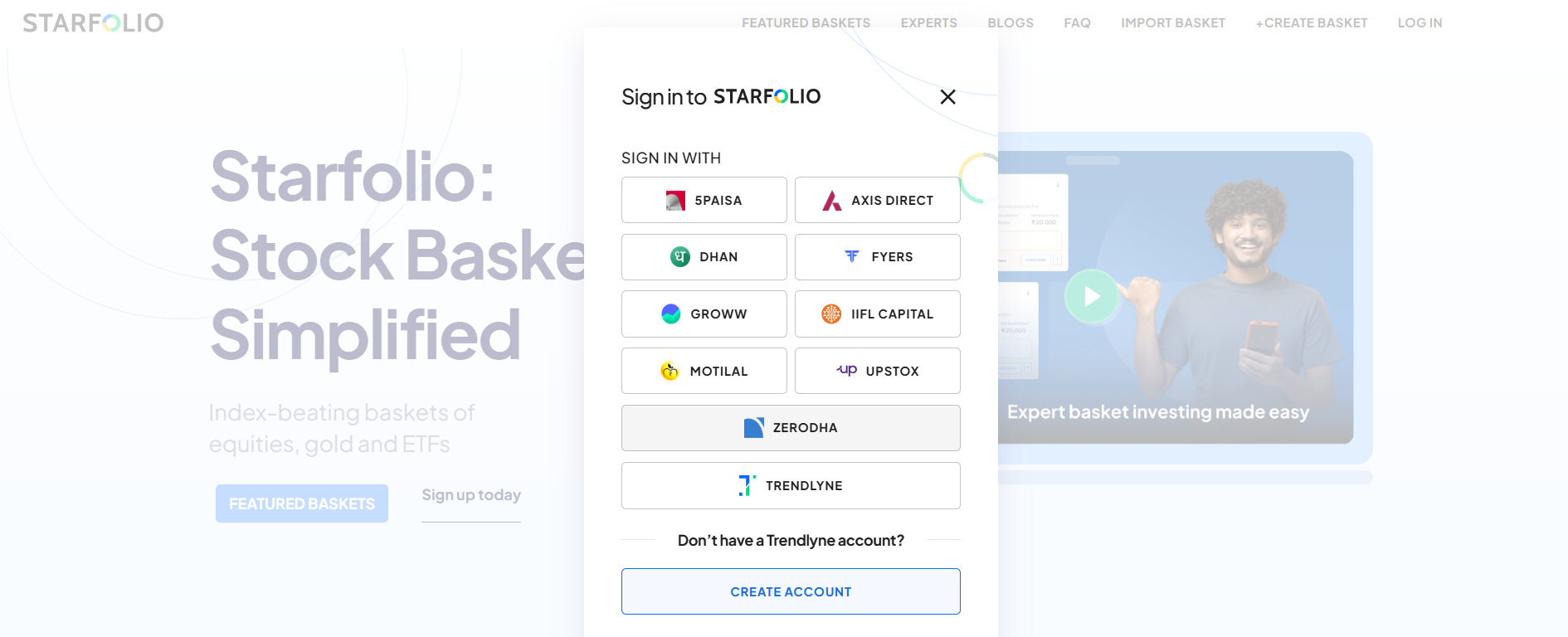
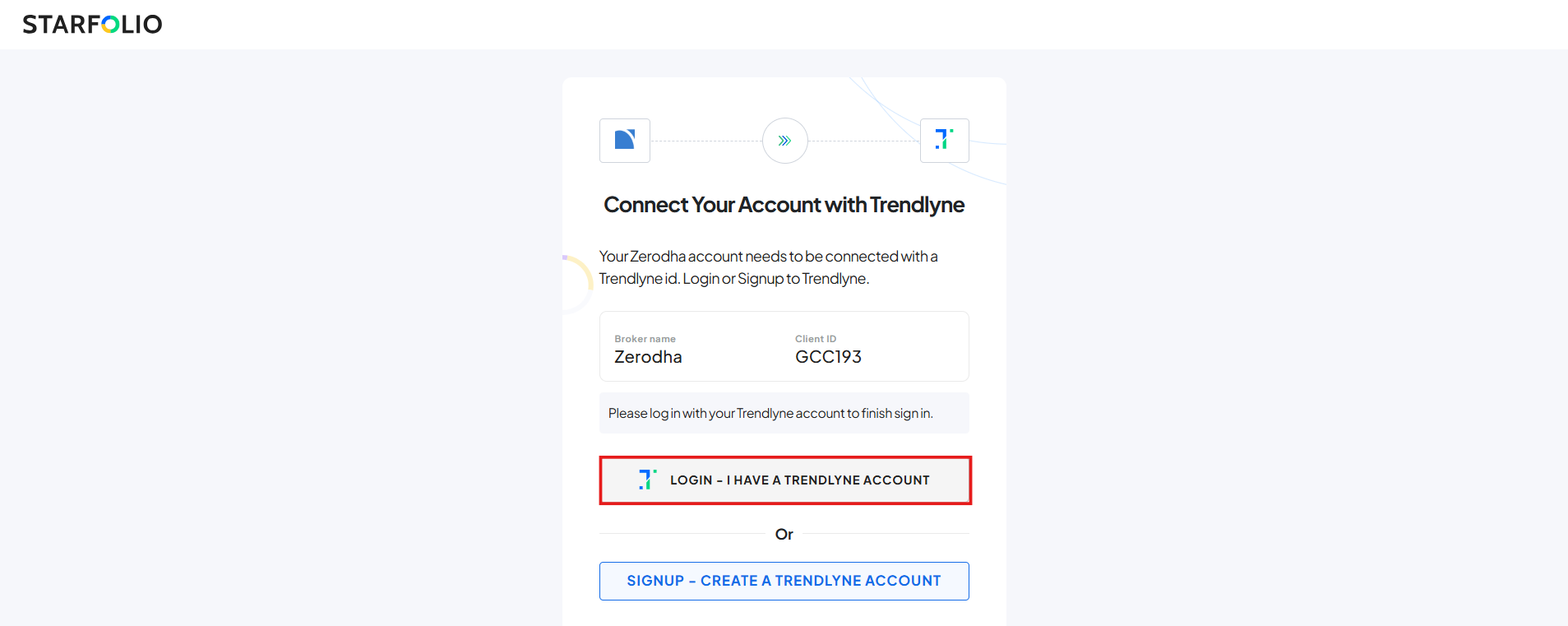
3. After logging in through the chosen broker, enter your Starfolio credentials to complete the linking process.
Alternatively, you can link a broker while investing in a basket:
1. Click on the ‘Switch Broker’ option on the confirmation screen.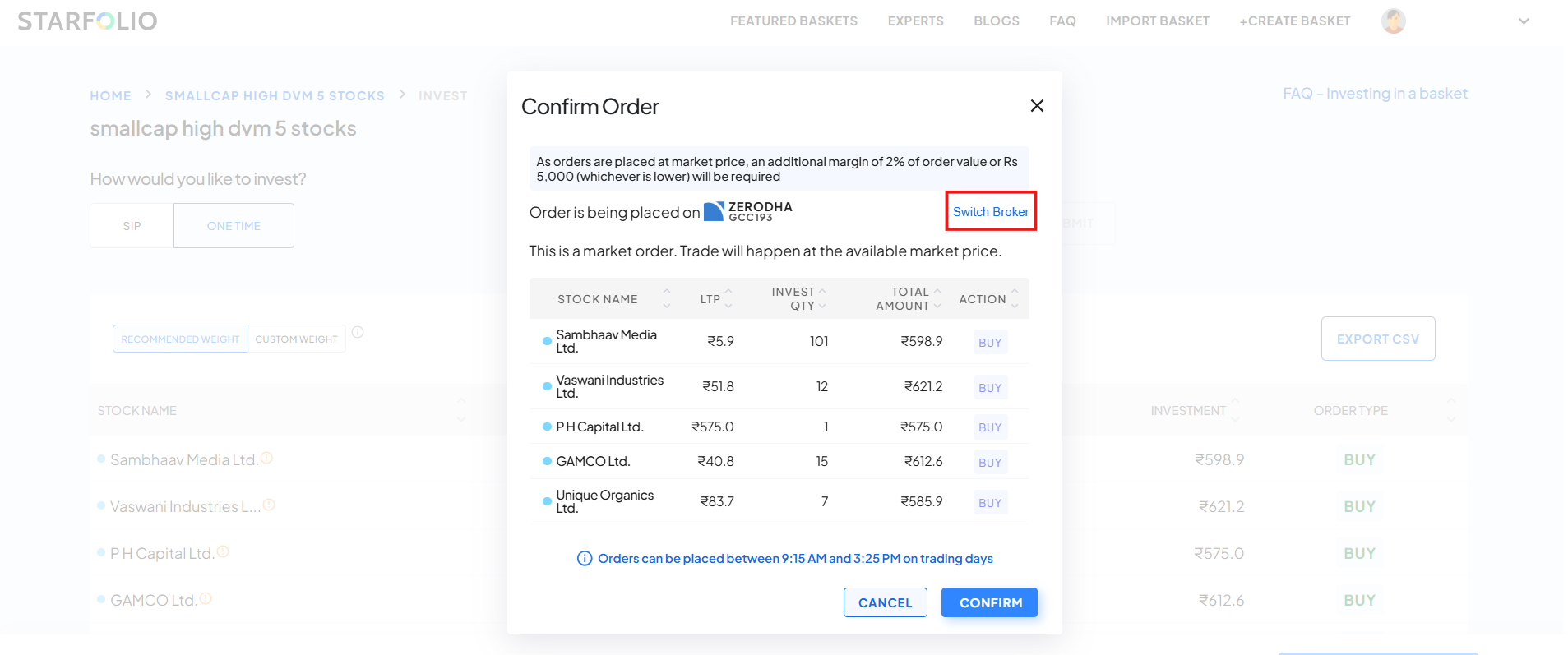
2. Select the broker you want to connect and sign in using your broker credentials to establish the connection.
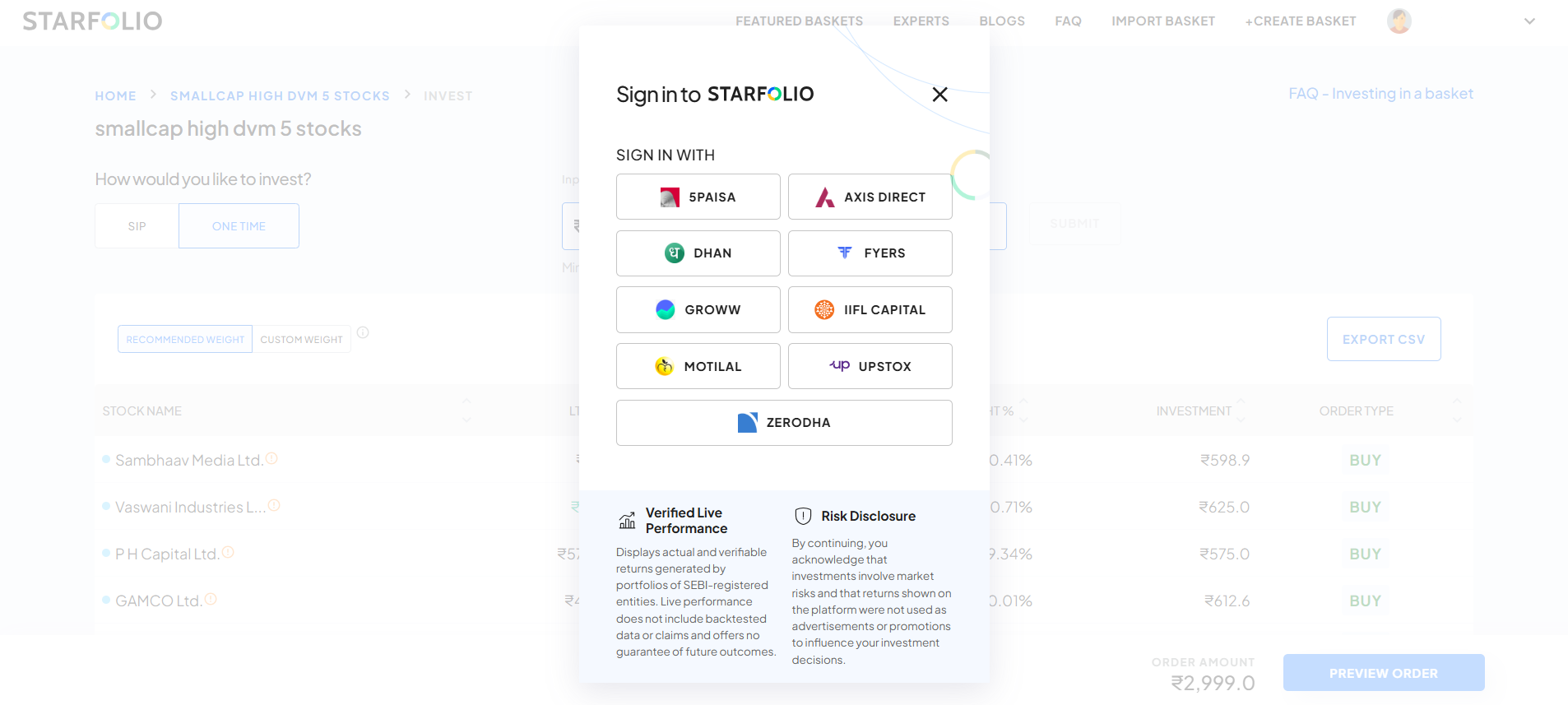
Once connected, you can use the broker to buy baskets of your choice.