
To delete a screener from the "My Stock Screeners" list:
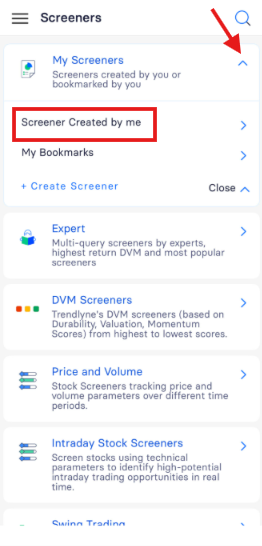
- Navigate to the "My Stock Screener" section.
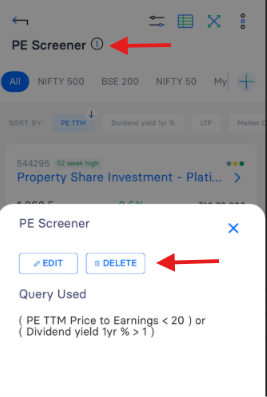
- Select the screener you wish to delete.
- Click the ⓘ (Info) icon.
- Select on the ‘Delete’ and Click Yes, Delete to confirm the deletion.
Refer to the highlighted image below for visual guidance on this process.
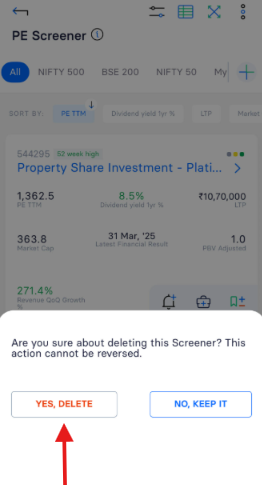 Please note that once a screener is deleted, it cannot be restored or recovered. This action is permanent and irreversible.