
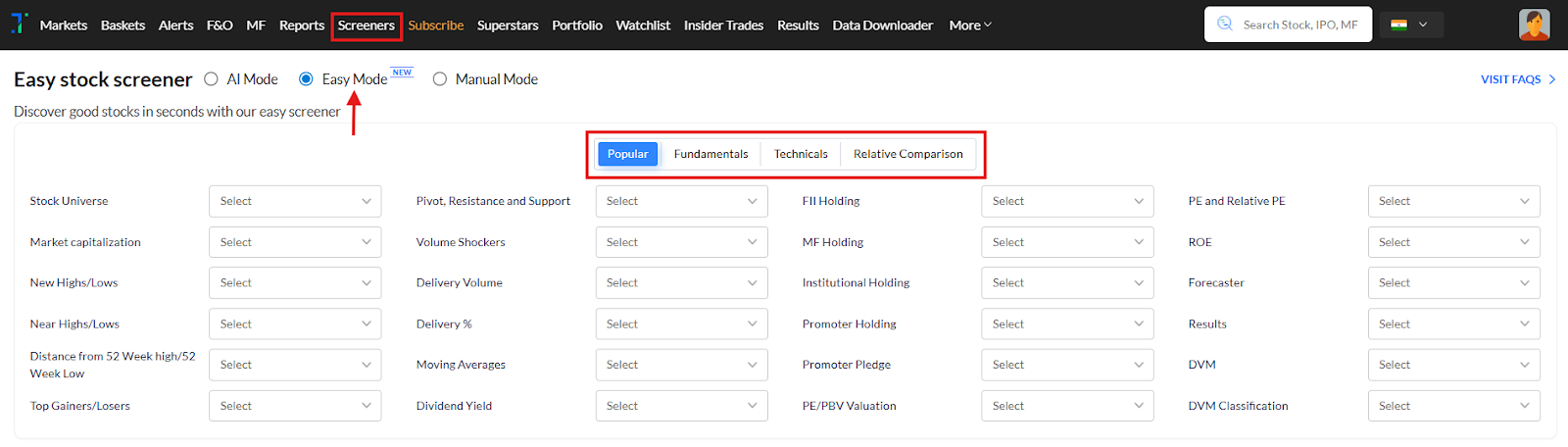
Easy Mode: Use this to filter stocks using a wide range of fundamental, technical, and comparative parameters, all in one place.
You can choose from categories like Popular, Fundamentals, Technicals, and Relative Comparison.
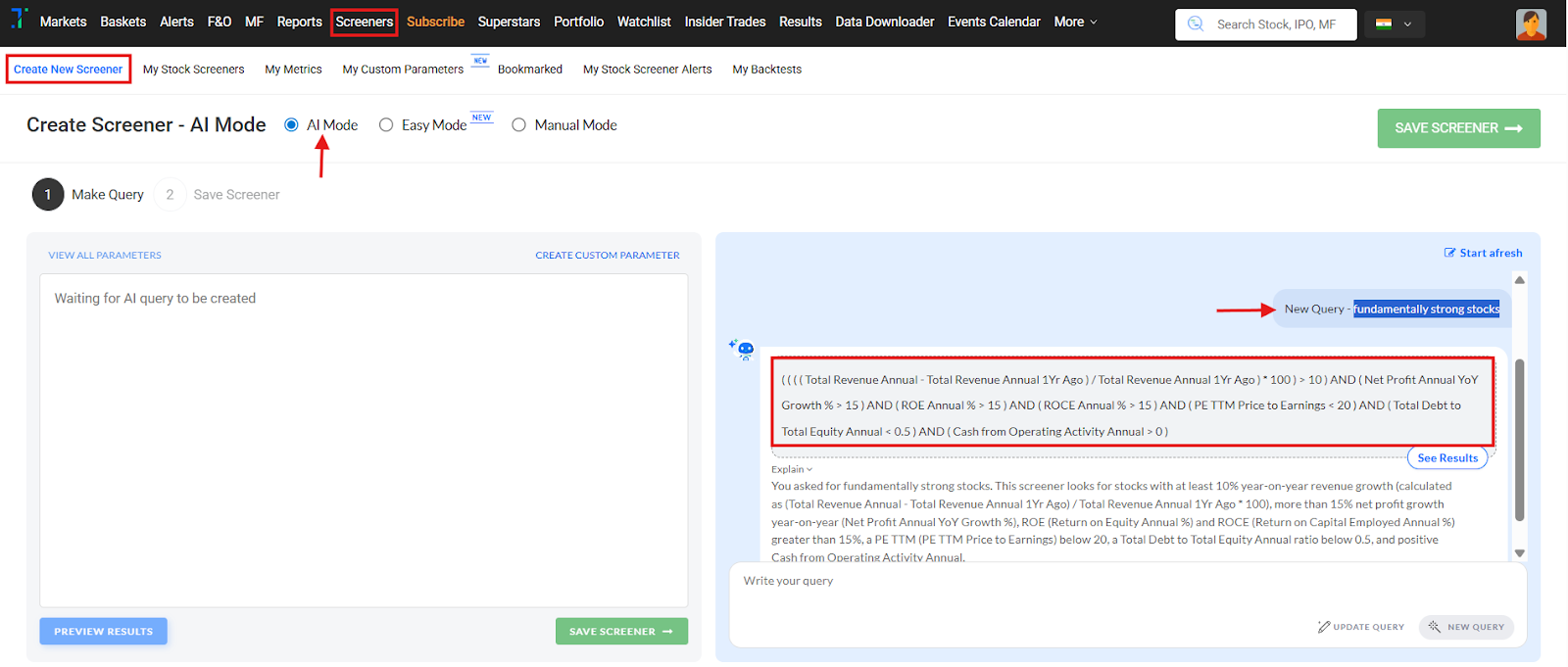
AI Mode: Type your screener query in plain English, and the AI will automatically interpret and build it for you. Click “See Results” to import and run the AI-generated query. You can also save and manually edit the query as needed.
For more detailed information, refer to our AI screener creation FAQs at: https://help.trendlyne.com/support/search/solutions?term=ai+screener+mode.
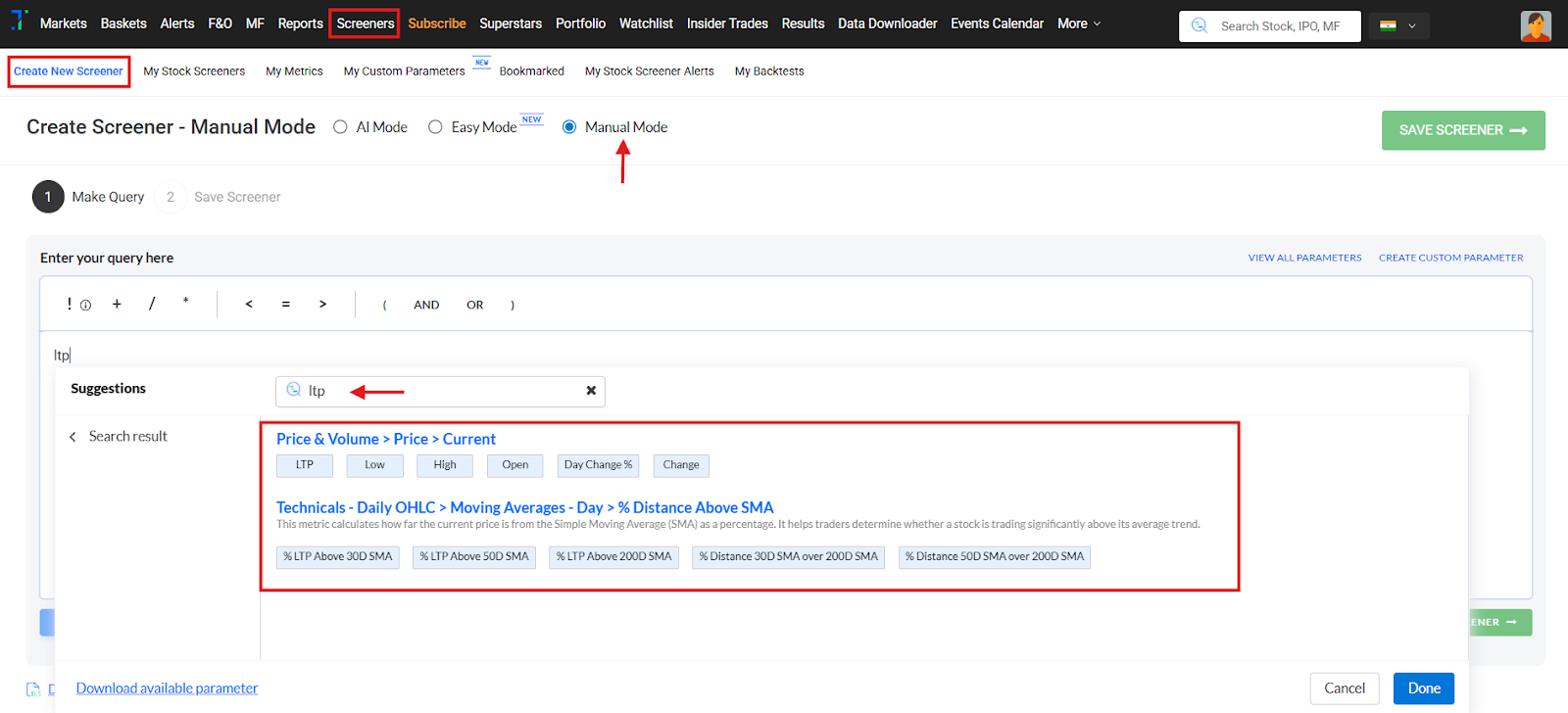
Manual Mode: Create a screener manually here as you type; parameter suggestions start to appear as you start typing in the text box.
You can see all the available parameters here: https://cdn-static.trendlyne.com/static/public-documents/all-parameters-files/Trendlyne_parameters_masterlist_v2.xlsx
You can refer to our Manual Mode screener creation FAQ at: https://help.trendlyne.com/support/solutions/articles/84000396761-how-can-i-create-a-screener-